
 s


Yours
No account. Your recipes stay on your phone.
- Works offline. Every recipe is on your phone. You need a connection only to read a new one in.
- Synced through your iCloud, or your Google account on Android. Backups are files in your iCloud Drive.
- No subscriptions. Buy it once. It’s yours.
- No ads. No tracking. We don’t know who you are. What leaves your phone, and why.
Add a recipe
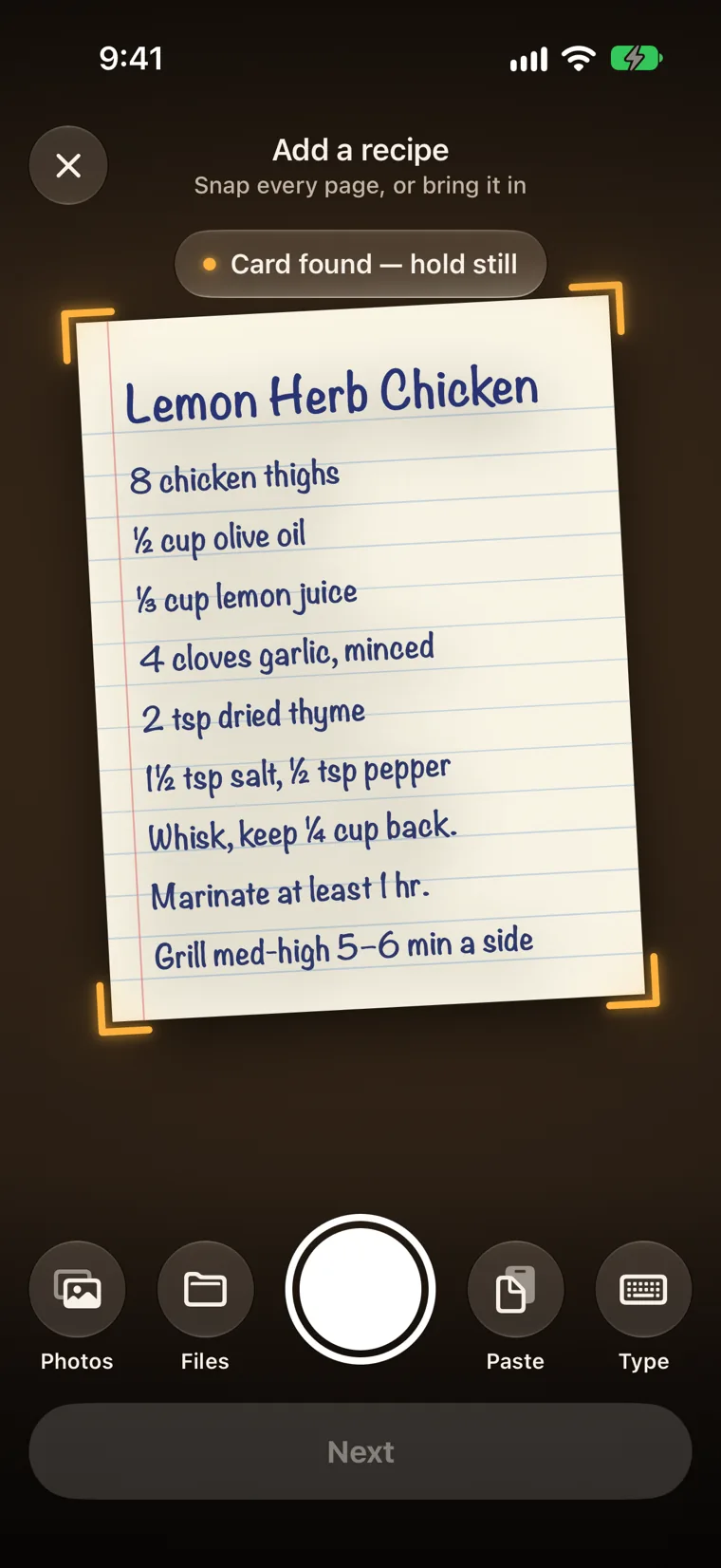
Start with the card you’d hate to lose.
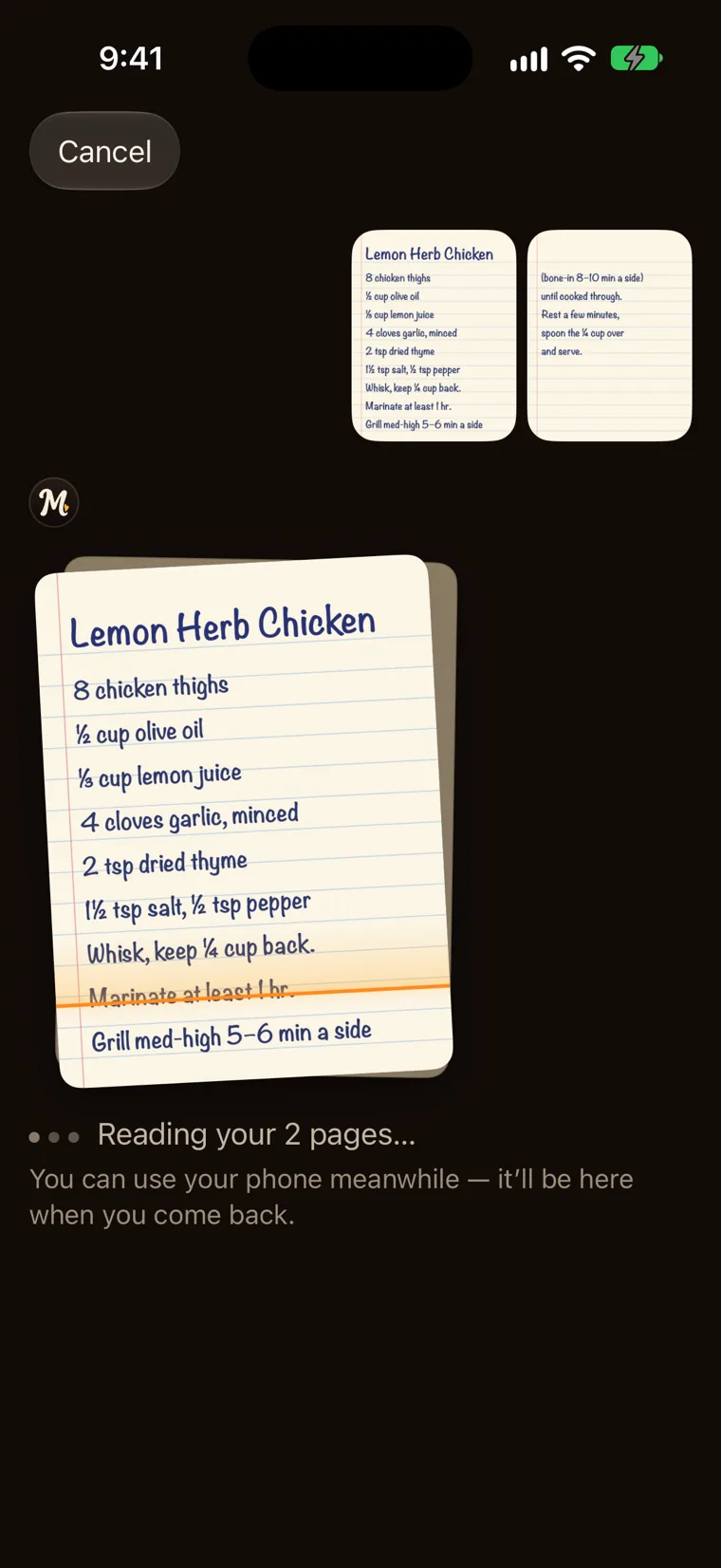
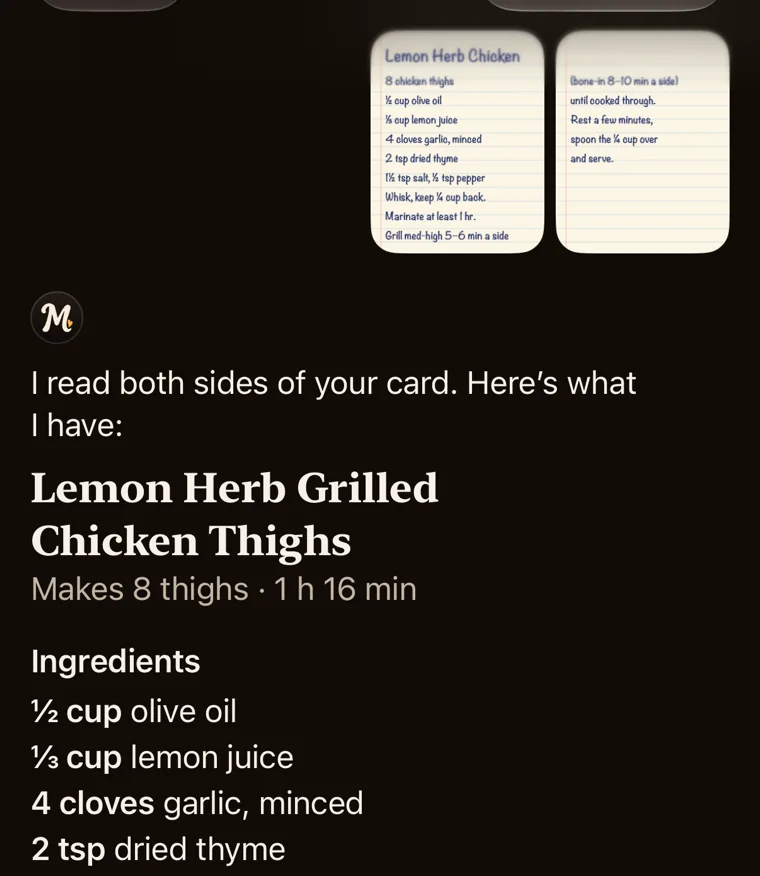
Photograph a recipe card or a cookbook page. Or pick a photo, a PDF, a link or some text. The app reads it and asks only what it needs to know. How to digitize a box of handwritten recipe cards.
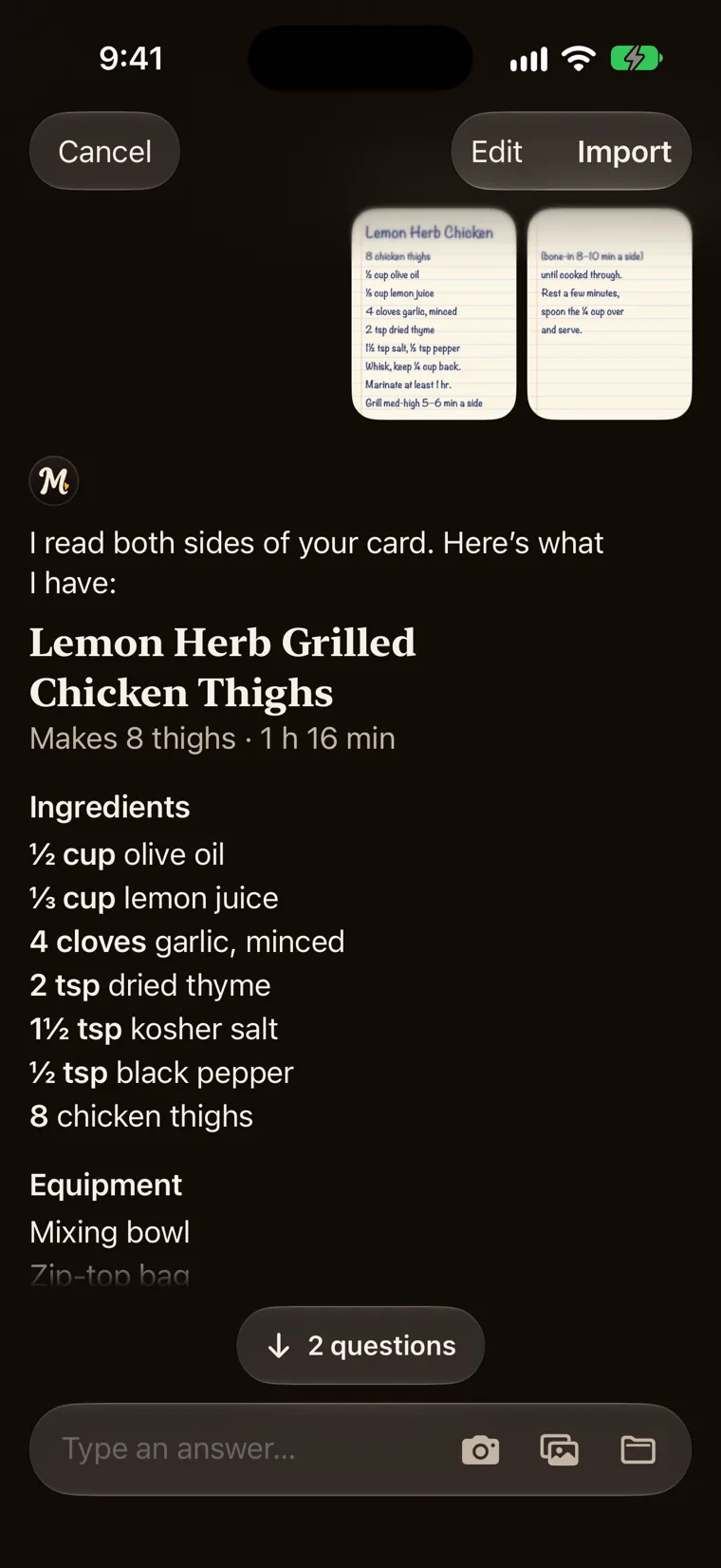
- A short chat. One question at a time. No forms.
- A real recipe. Amounts, steps and timers, in the order you’ll cook.
- Nothing lost. The original card stays with the recipe.
Your library
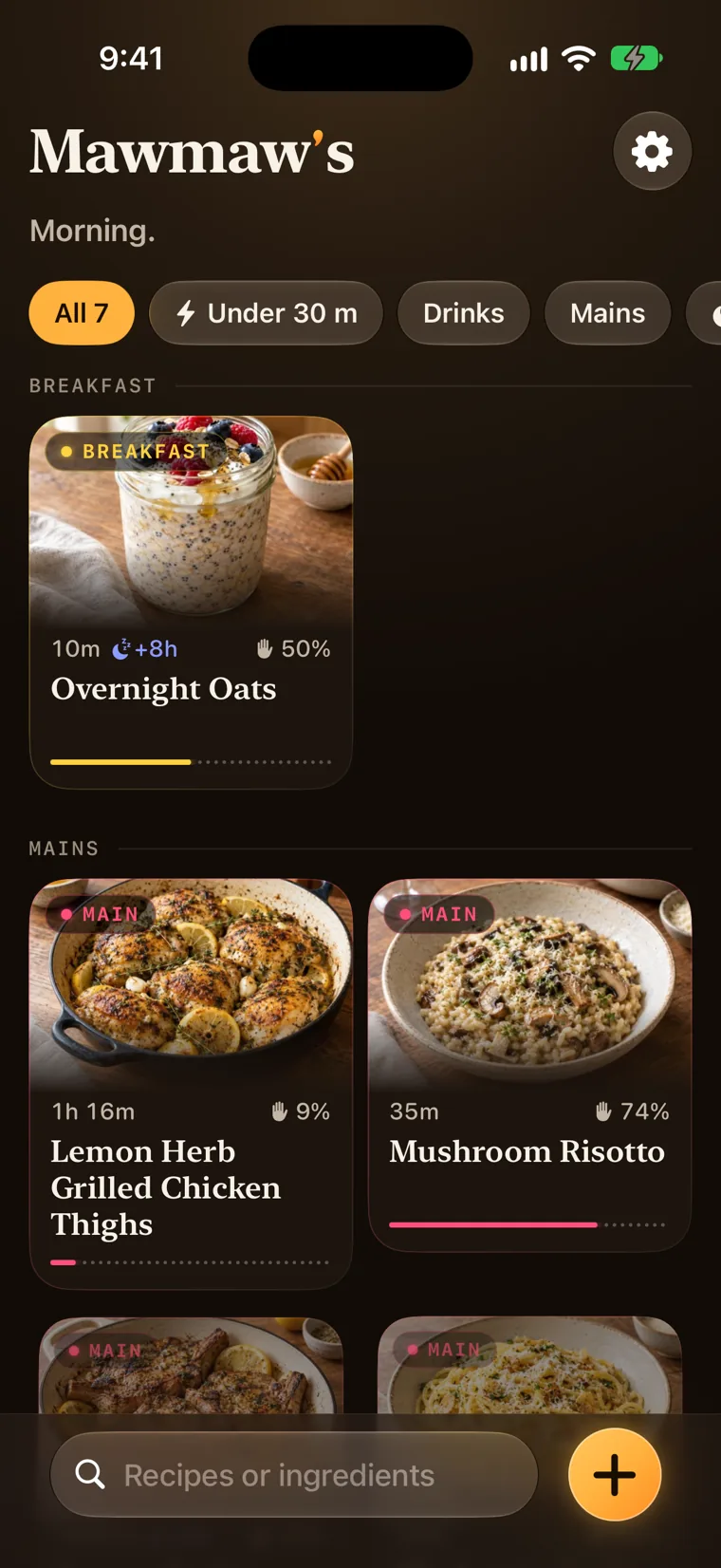
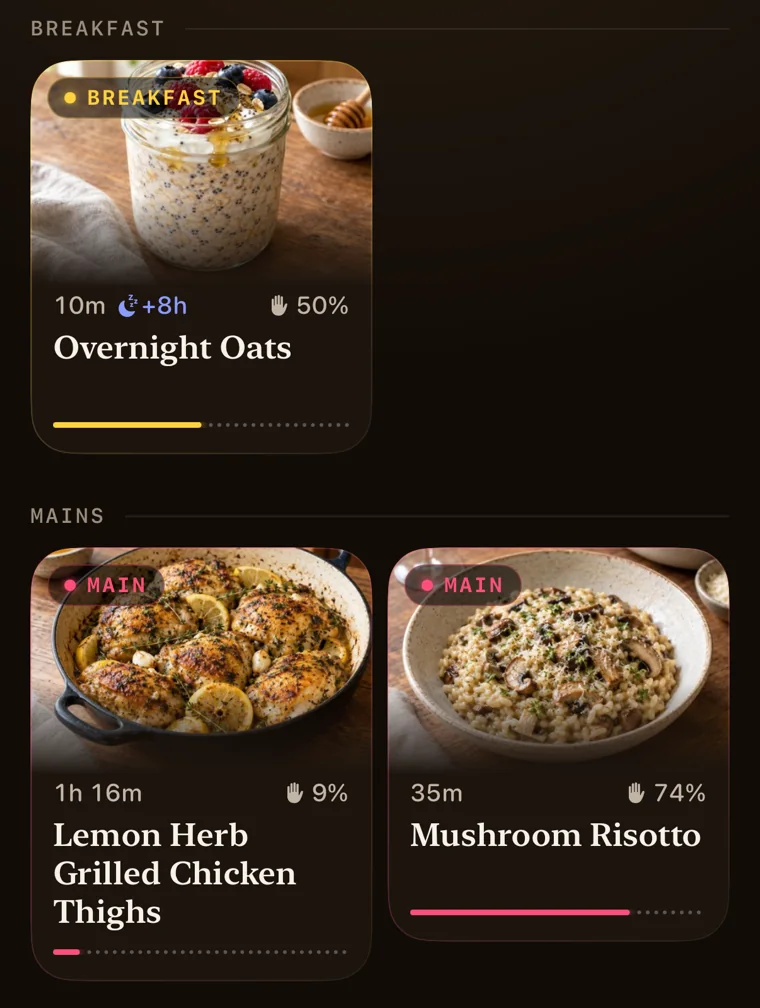
Every recipe you’ve kept, by course.
Each card shows a photo, how long the recipe takes and how much of that is hands-on. Search by name or by ingredient. Filter to what’s under 30 minutes.
The recipe
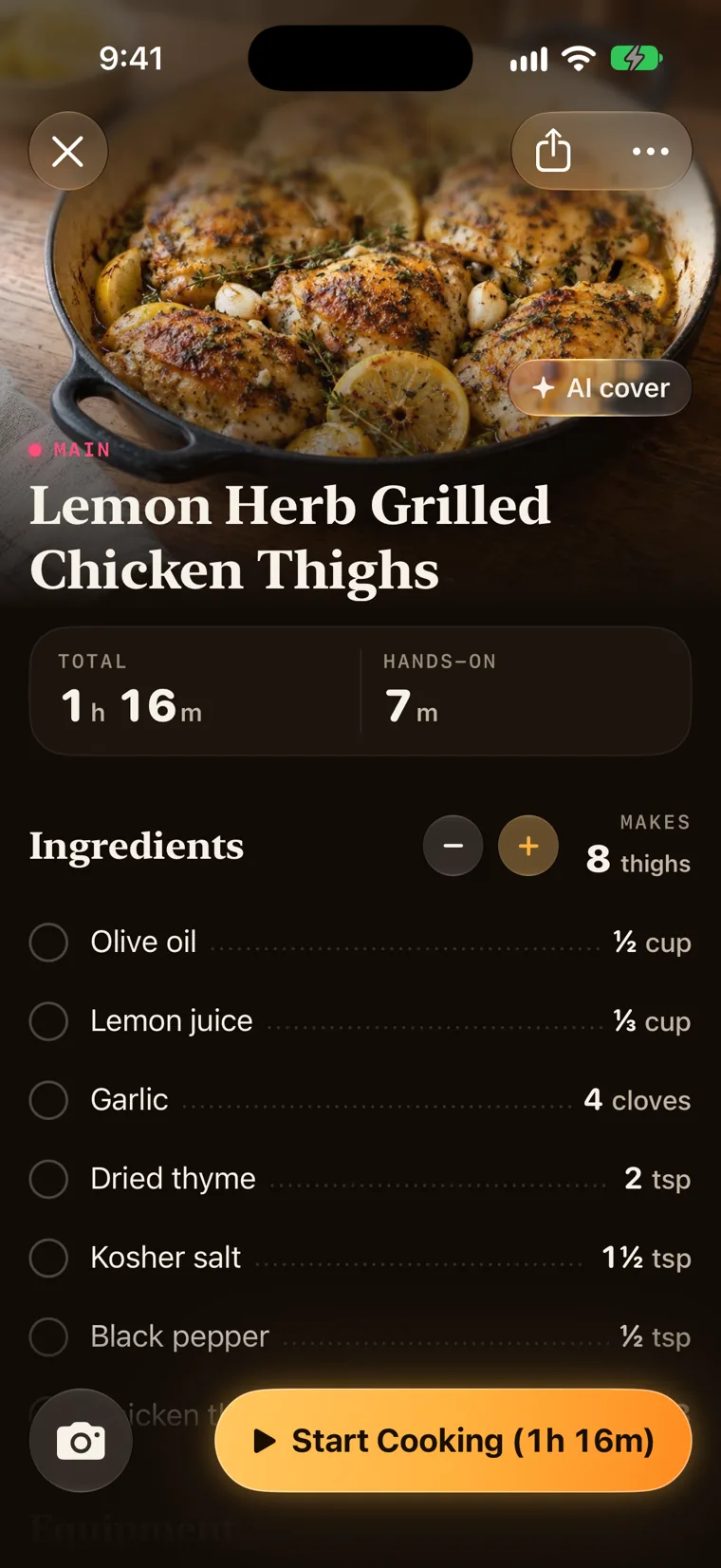
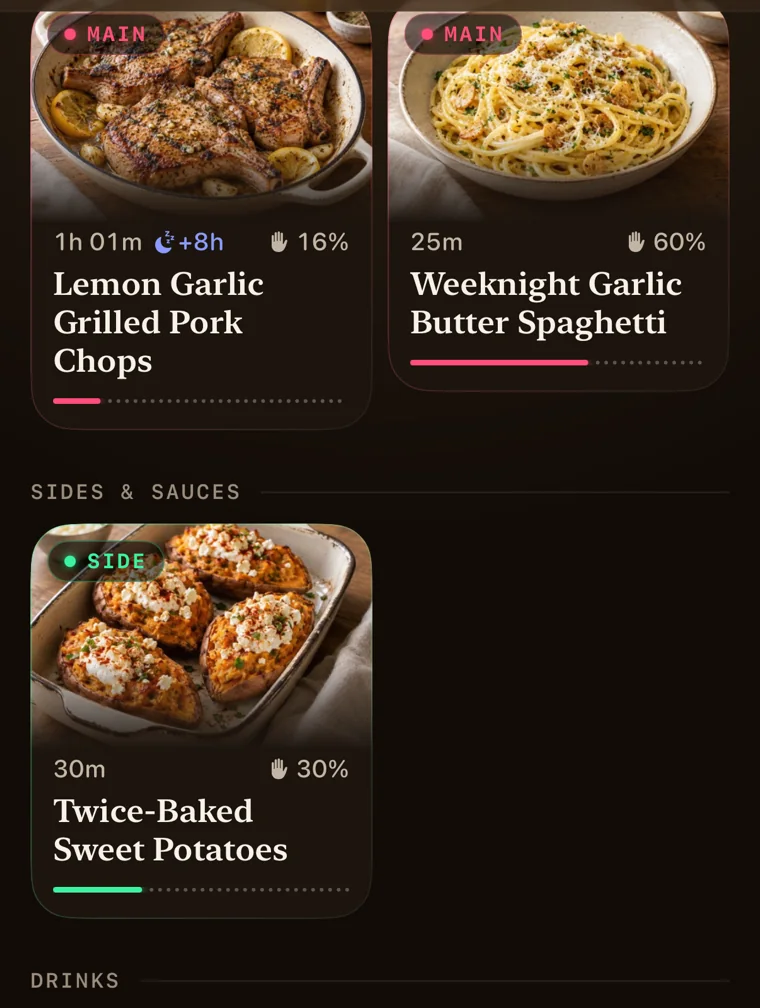
What she wrote, set out the way you cook it.
Her card, kept whole. How long it takes and how much of that is hands-on. The ingredients in the order you’ll reach for them, each amount beside its name. Every step with its timer. And at the bottom, the card itself, as she wrote it.
- Any batch. Change what it makes and every amount follows, in kitchen fractions. No 0.375 of anything.
- Photos and videos of the dish, and of any step.
- Edit anything. An ingredient, a step, a timer.
Cook mode
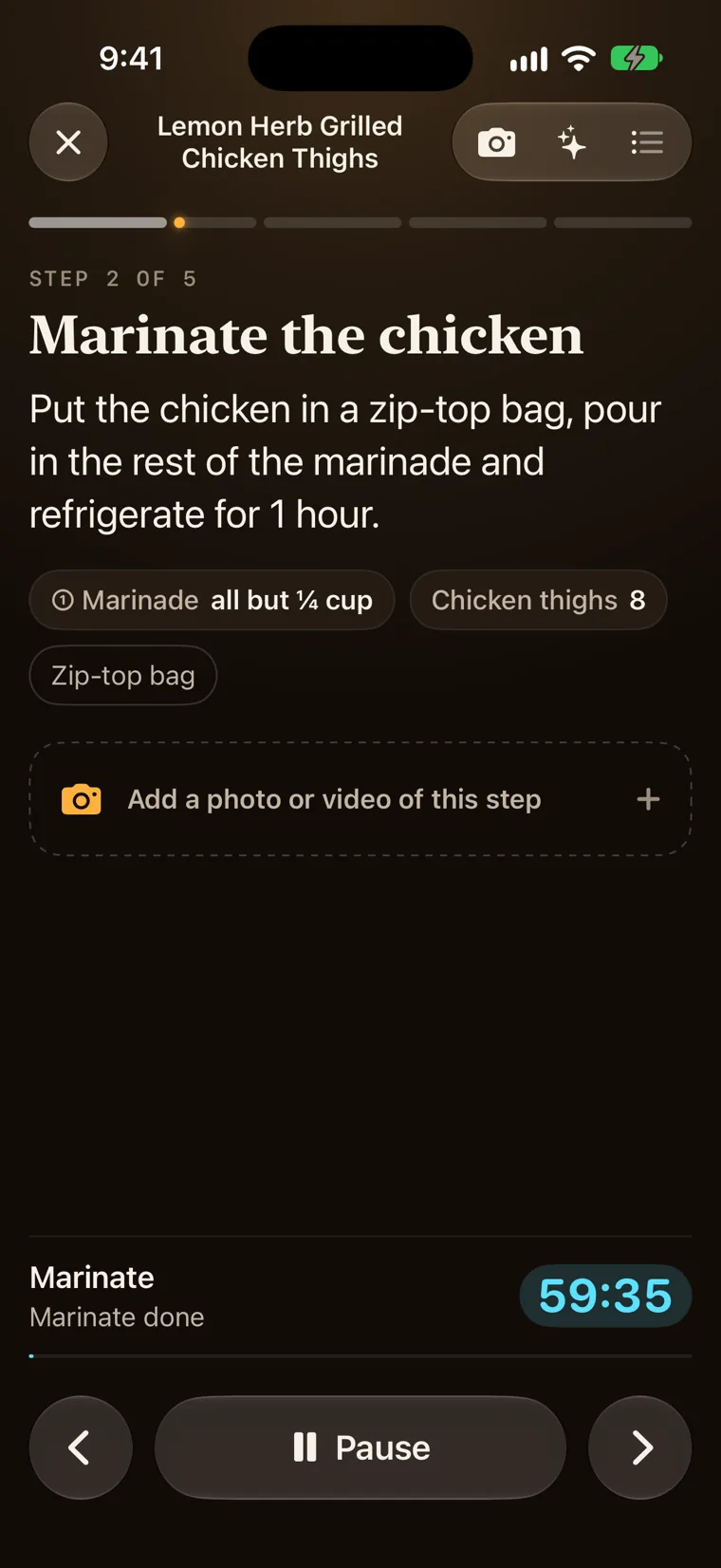
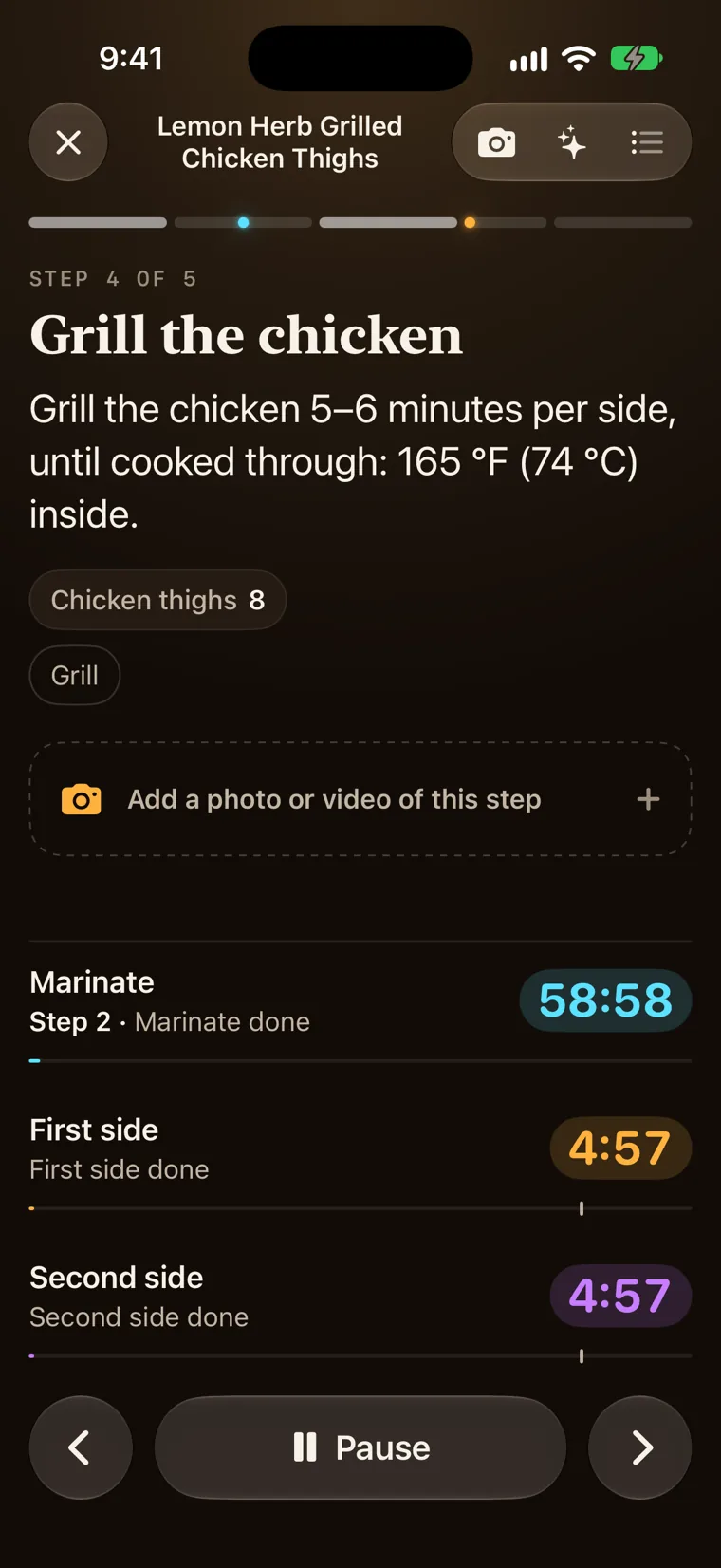
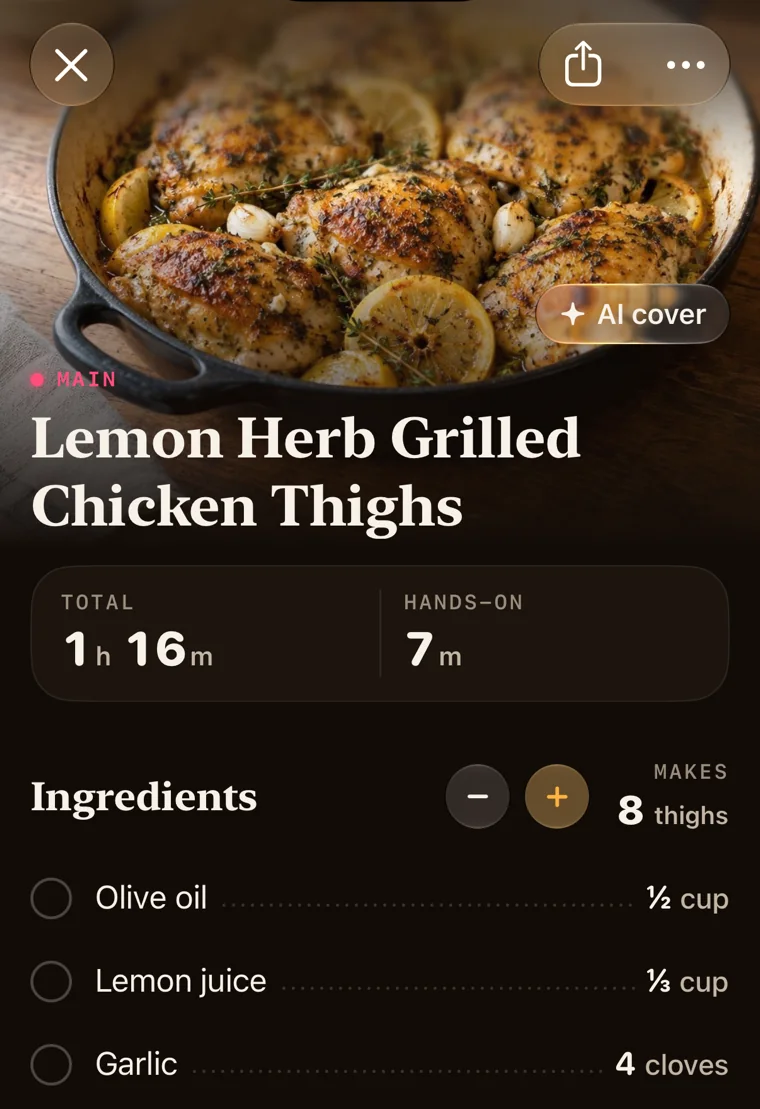
Every timer runs for you.
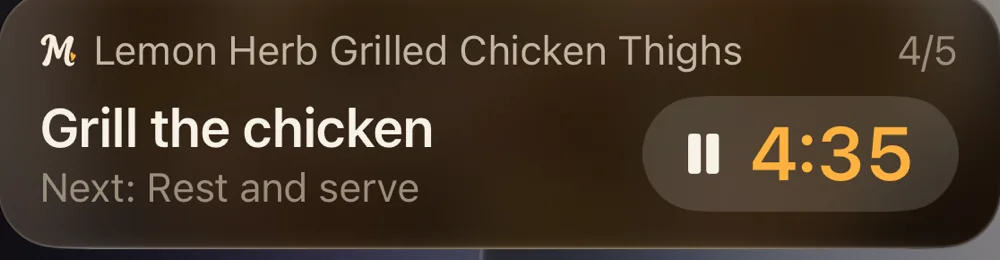
Open a step and its timers start with it: stir every 3 minutes, 7 times; simmer 3 to 5 minutes; chill overnight. The same countdown shows on the Lock Screen and in the Dynamic Island.
- Alarms, not notifications. A timer rings even on silent.
- Four recipes at once, each with its own timers.
- Siri and Shortcuts. Say “Next step” or “Start the timer”. Spotlight finds your recipes.
- A photo or video on any step, for next time.
Sharing
Hand it to the people who should have it.
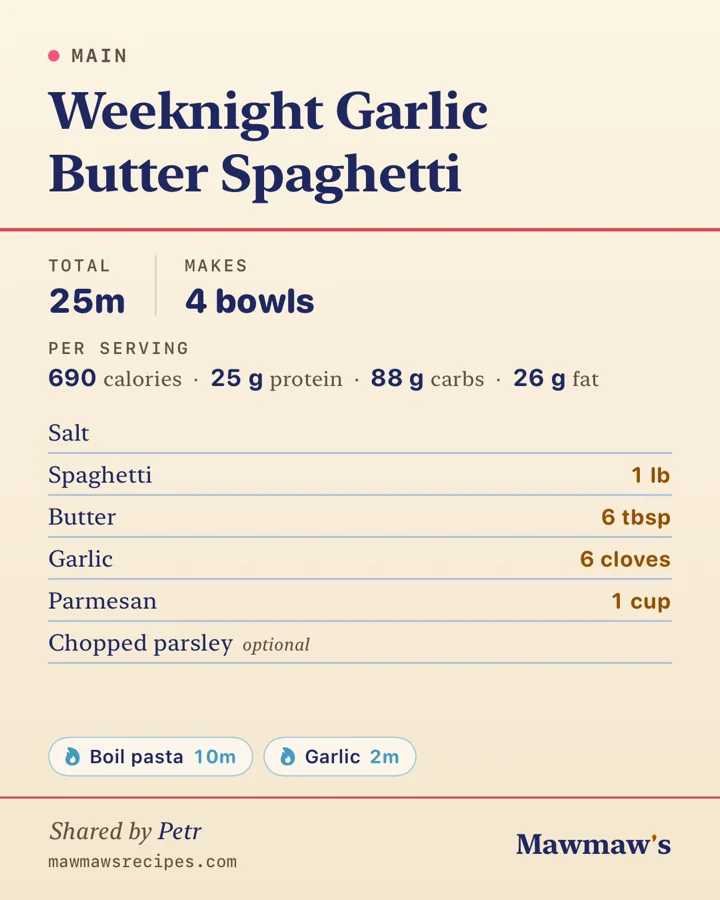
A recipe goes to one person, with its photos and timers. The card says who shared it.
- As a link. Encrypted. Only people with the link can open it. Stop sharing any time.
- As a picture. A card, for anyone, in any app.
Questions
What people ask before they buy it.
Does it work without a connection?
Yes. Every recipe, photo and timer is on your phone. You need a connection only to read a new recipe in, and to open a link someone shared with you.
Is there a subscription?
No. You buy the app once for US$6.99 (CA$9.99 in Canada, A$9.99 in Australia, NZ$12.99 in New Zealand), on the App Store or Google Play, and that’s it. There is no account to make.
Where do my recipes live?
On your phone, and in your own iCloud, or your Google account on Android, so your other devices have them too. We keep no copy. A backup of each recipe also sits in an iCloud Drive folder you can open.
What happens to a card I photograph?
It goes over an encrypted connection to our server, which passes it to an AI provider that reads it into a recipe. We don’t keep it afterwards. The photo of the card stays with the recipe, on your phone.
What can it read?
Photos of handwritten cards and cookbook pages, PDFs, a link to a recipe on the web, and text you paste or type. You can also share a page or a picture to it from any app.
Will a timer ring if my phone is on silent?
Yes. A timer is an alarm, not a notification, so it rings on silent and through Focus. It also shows on the Lock Screen and in the Dynamic Island, with a pause button.
Can someone without the app open a recipe I share?
Yes. A shared link opens in their browser and shows the recipe. With the app they can save it, photos and all. Stop sharing at any time and the link stops working.